 ChatGPT
 Perplexity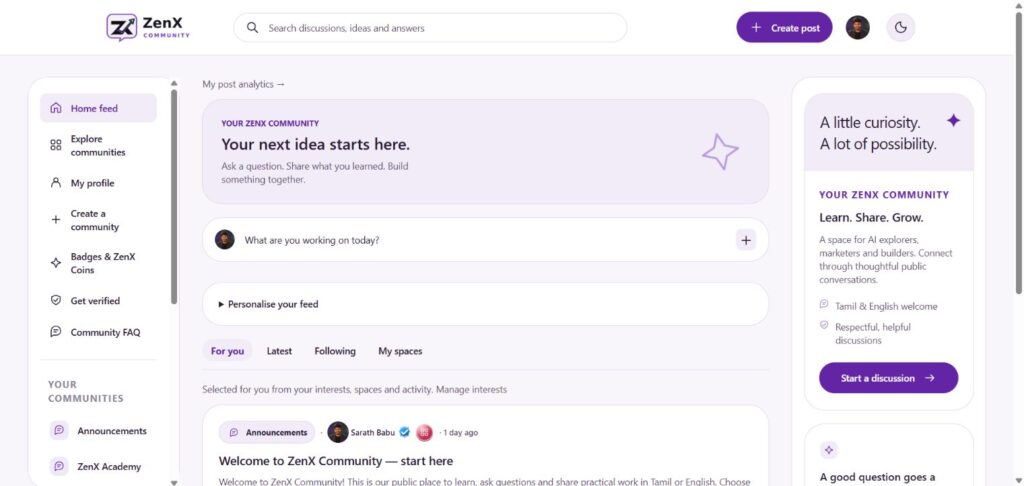
Meet ZenX Community — a public space from ZenX Academy for AI explorers, marketers and builders to learn, ask questions and share practical work. Tamil and English conversations are welcome.
This quick guide uses actual screenshots captured on 23 October 2026 to help you find your way around.
1. Start with your community feed
Open the Home feed. The left menu takes you to communities, your profile, rewards and verification. The centre holds discussions, while the right panel offers a shortcut to start a conversation.
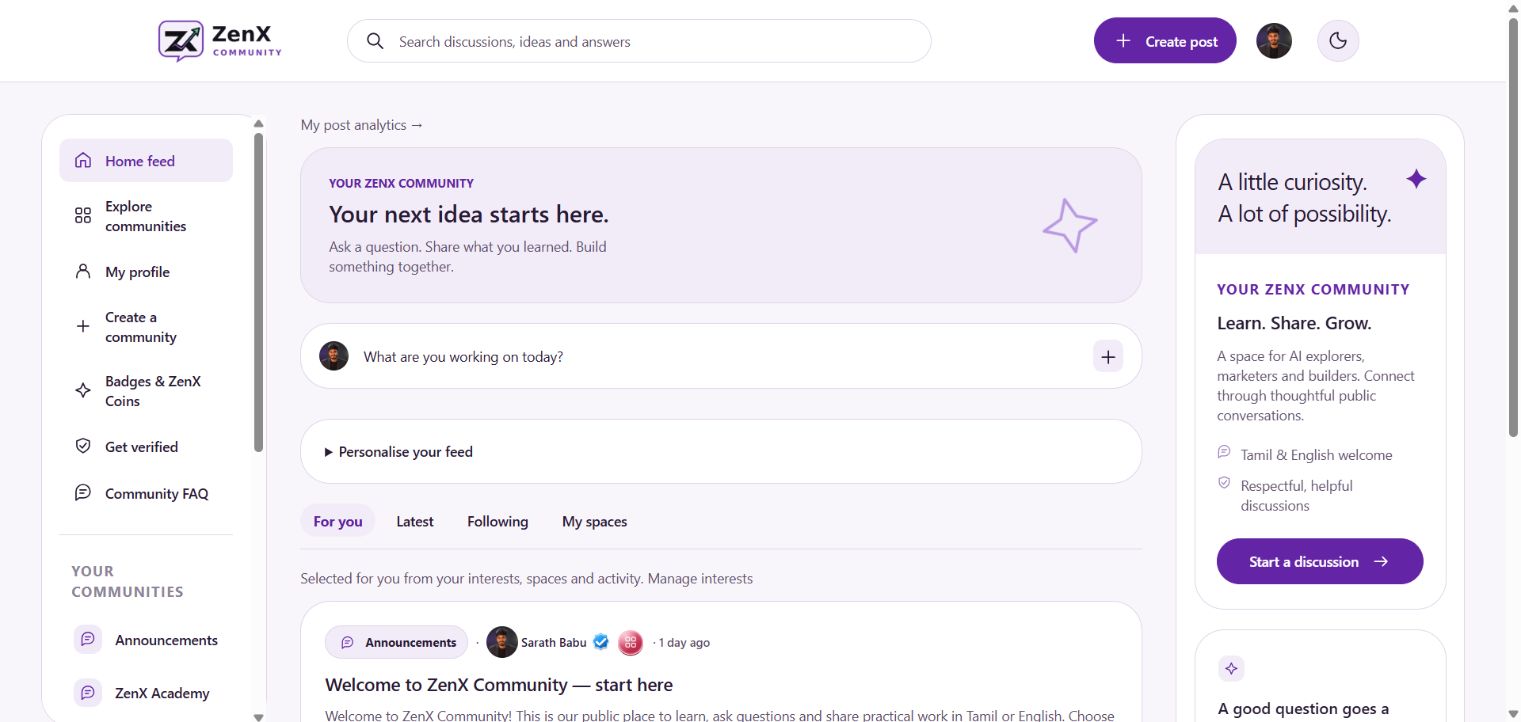
- For you: discussions selected from your interests, spaces and activity.
- Latest: switch to the latest feed.
- Following: open the feed for accounts you follow.
- My spaces: browse the feed for your joined communities.
2. Find a space and start a discussion
Visit Explore communities to discover topics. The welcome guide introduces AI Tools, SEO, Google Ads, Meta Ads, Automation, Student Projects and Career Help.
- Choose a space that matches your interests.
- Read existing discussions and the Community Rules.
- Click Create post.
- Explain your goal, what you tried and where you need help.
- Use comments to continue the conversation and share useful answers.
For example: “I am learning Google Ads. I have grouped my keywords, but I am unsure which match type to use. Here is my example — what would you improve?”
3. Get to know your public profile
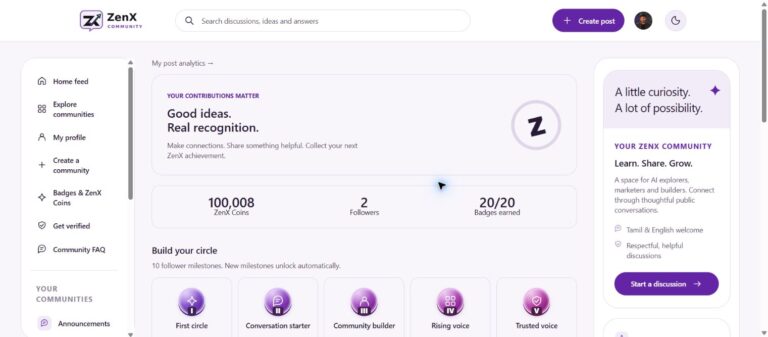
Select My profile in the sidebar. Profiles display a name, username, profile photo and public posts. The example below shows the visible verified tick and achievement badges on Sarath Babu’s profile.
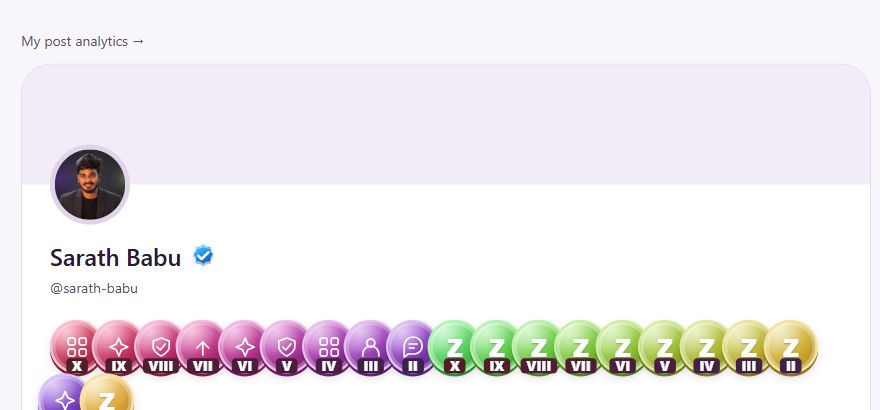
Use Edit profile from your signed-in account to access your profile settings. Each member’s profile and achievements will differ.
4. Explore badges and ZenX Coins
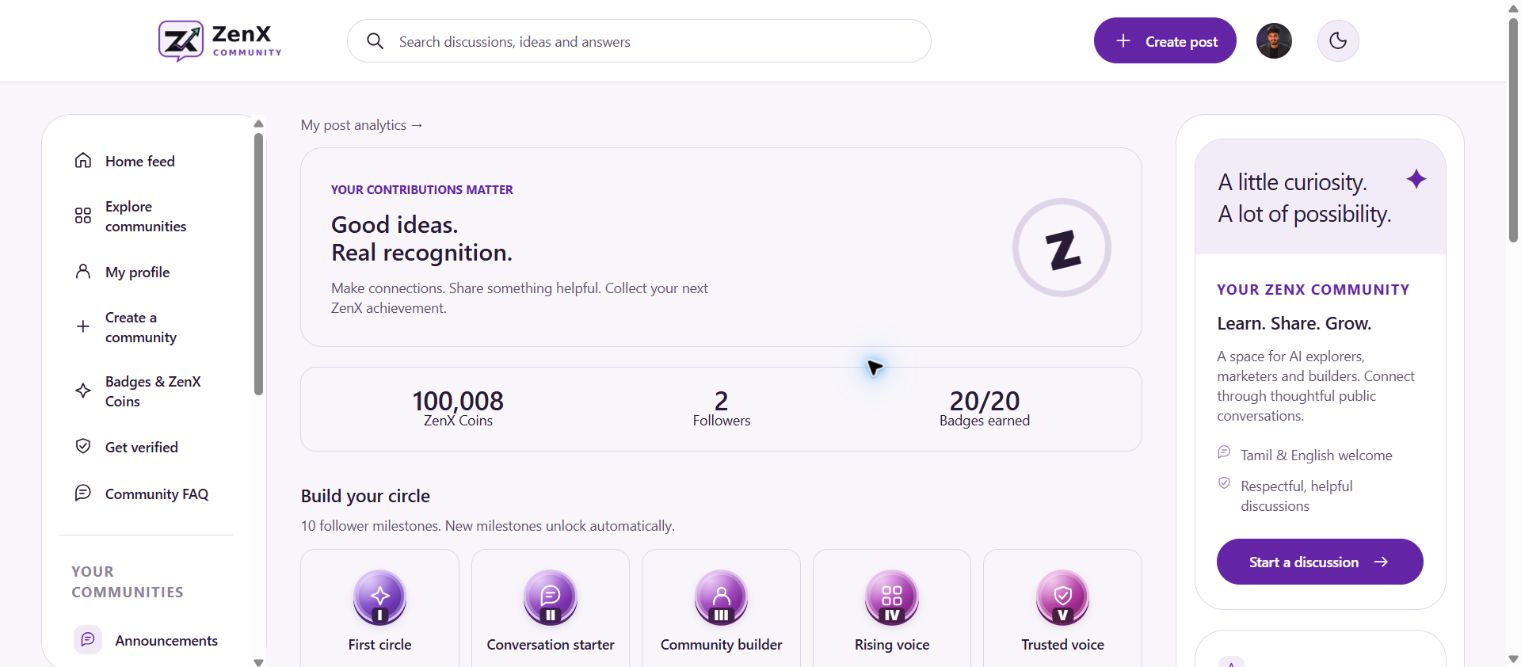
The rewards page lists 10 follower milestones and 10 contribution milestones. Eligible received likes, approved comments and recorded shares from other signed-in members earn ZenX Coins; self-interactions do not count. Badges remain earned after reaching a milestone.
ZenX Coins are community points with no cash value. Token conversion, airdrops and withdrawals are currently unavailable.
5. Understand verification before applying
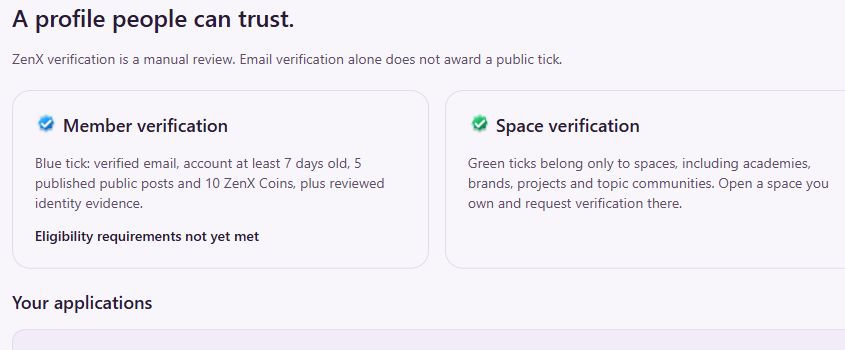
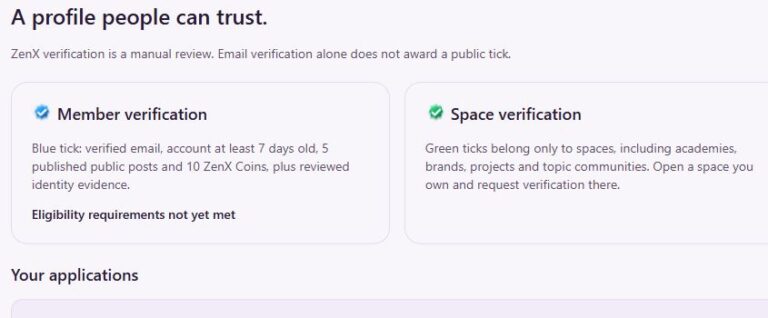
- Blue member tick: the page lists verified email, an account at least 7 days old, 5 published public posts, 10 ZenX Coins and reviewed identity evidence.
- Green space tick: for academies, brands, projects and topic communities. Owners request verification from their space.
- How to apply: open Get verified, check eligibility, complete the review form and submit the minimum supporting evidence requested. Approval follows manual review.
Follow the document guidance shown on the application page: redact unnecessary personal information and do not upload Aadhaar, passport or payment documents.
| Feature | What you can see | Open |
|---|---|---|
| Achievement badges | Profile badges labelled with follower or ZenX Coin milestones. | Badges & ZenX Coins |
| ZenX Coins | A profile coin total and a link to rewards. | ZNX Coins Rules |
| Verification | Blue ticks identify verified members; green ticks identify verified spaces. Manual review applies. | Get verified |
Achievement badges and the verified tick are separate profile indicators. Open Get verified to check the available eligibility and application information for your account. Read the badges, coins and verification FAQ for the community’s current guidance.
Your useful community links
- Community homepage · Home feed
- Explore communities · Create a community
- Announcements · ZenX Academy space
- Welcome: start here
- About the community · Privacy Policy
Ready to join the conversation? Open ZenX Community, explore a topic you care about and share your first question or learning.